Plan and execute spraying, fertilising, and attachment operations with GPS guidance
Field Operations requires some initial setup. Make sure you have:
From the Home screen, tap Field Operations to access the hub. You’ll see five navigation cards and a summary of your saved operations.
Each operation type has its own wizard flow tailored to the equipment and products involved.
Apply liquid products with a boom sprayer. Supports multi-product tank mixes.
Spread granular products with a spreader. Single product per operation.
Mowing, slashing, ploughing, cultivating — no products required.
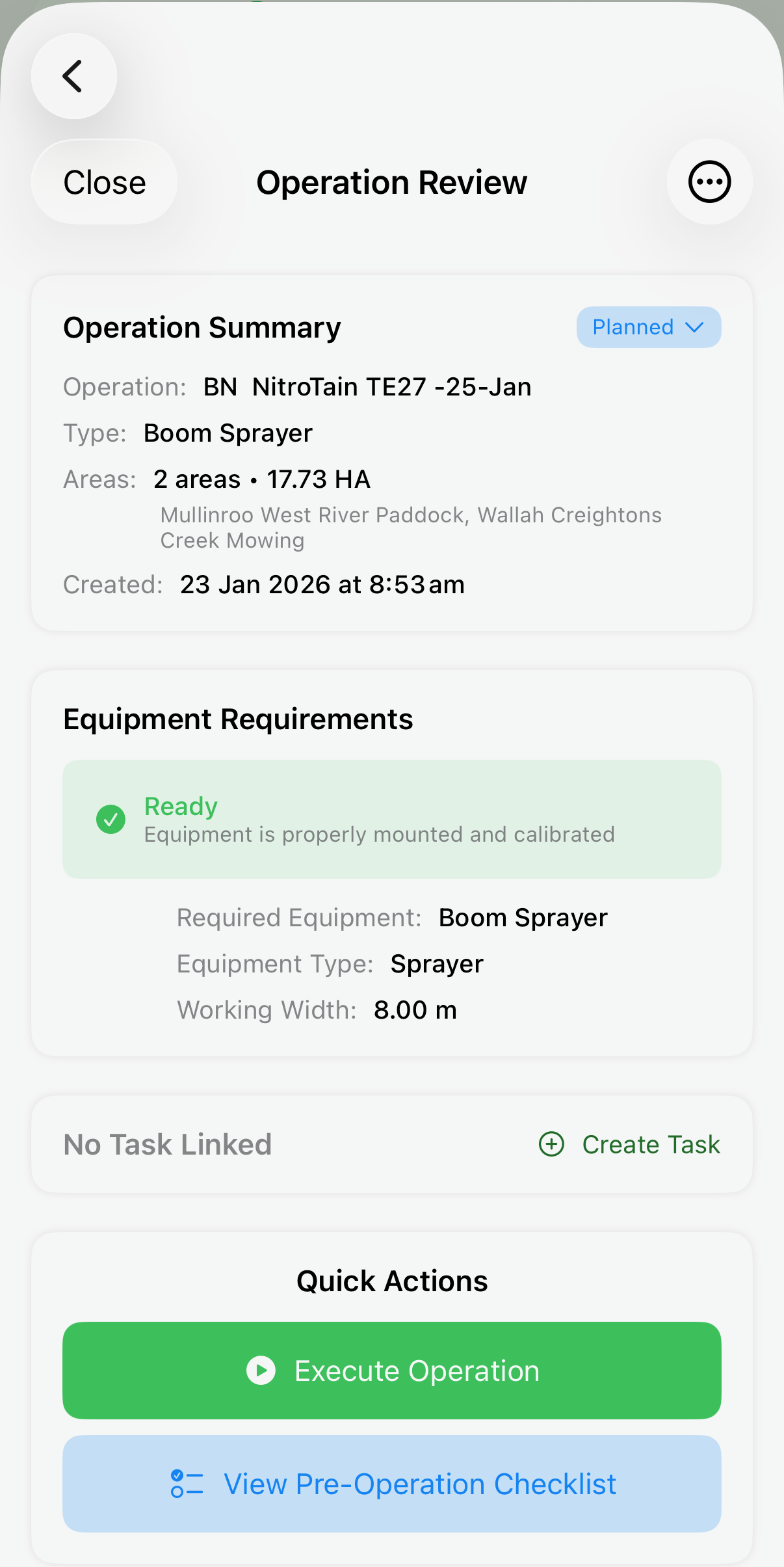
The spraying wizard guides you through planning a multi-product spray operation from equipment selection to review.
When spraying multiple products, mixing order matters. The app automatically sorts your products into the correct sequence.
Fill tank 30–50% with clean water, start agitation.
Add water conditioner (if needed), then dry formulations — WG, WP, and powder products.
Suspension concentrates (SC), soluble liquids (SL), and liquid fertiliser.
EC products — add one at a time. Many insecticides and fungicides are EC formulations.
Non-ionic wetters, oils — always added last.
Per-tank calculations: The mixing guide calculates exact volumes of each product per tank load based on your paddock area and tank size. It also shows how many full tanks you’ll need plus any partial final tank.
Plan a spreading operation with a single granular product, from equipment selection to hopper calculations.
Once saved, execute your operation with GPS tracking, A‑B guidance, and real-time speed feedback.
Confirm your tank is filled (spraying) or hopper loaded (spreading), equipment is calibrated, and nozzles are clear. Tap to advance when ready.
The app shows your field on the map. Tap Navigate for turn-by-turn directions. When you arrive, advance to enter the field.
Set up parallel guidance lines for systematic coverage. Place Point A at one edge, drive straight ~100m, then place Point B. The app generates guidance lines across the entire field at your equipment’s working width. Zoom presets (50m–800m), heading-up toggle, and re-centre button help you navigate.
The main working state. Choose between map-dominant (GPS path with A‑B lines) or metrics-dominant (speed, coverage, product data) layouts. Your GPS path is drawn in real-time. Land-row highlighting marks every Nth A‑B line blue for easy counting.
Use Pause for lunch or weather delays (timer stops). Use Refill when the tank runs empty (GPS continues). All previous GPS traces are preserved across pause/resume/refill cycles — every segment combines in the final history.
When all paddocks are done, tap Complete. The app records total work time, area covered, product volumes, cost calculations, and weather conditions. The completed operation appears in your Reports with full GPS history.
During spraying and spreading operations, the app compares your current ground speed to the target speed and shows whether you’re applying at the correct rate.
Speed feedback uses your device’s GPS and displays in km/h or mph based on your unit preferences. It only appears for sprayer and spreader operations (not attachments).
If you selected multiple paddocks, the app guides you through each area in sequence.
Finish operating in the first paddock, then tap Exit Area.
Tap Travel to Next Area. GPS tracks your travel between paddocks.
Enter the next paddock and continue. Repeat until all areas are done, then tap Complete.
Tip: When your tank runs empty, use the Refill state rather than completing and starting a new operation. This keeps all GPS data in one record and gives you a single report for the entire job.
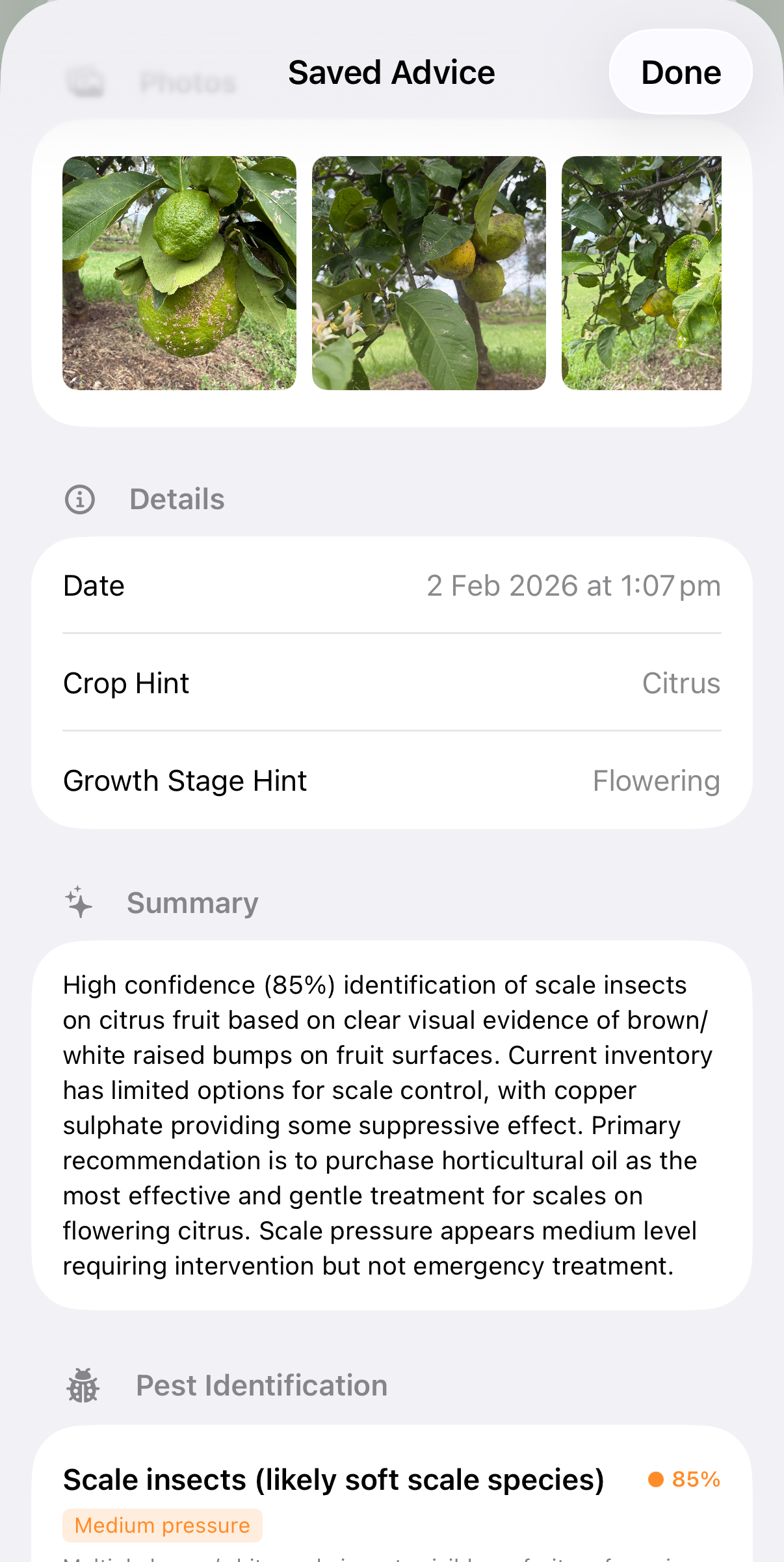
Use Alffi™ to identify pests and diseases in your crops from photos, then get product recommendations and a complete spray plan. Requires Pro subscription + 1 Alffi credit.
Completed operations are saved with full GPS traces and product data for compliance and review.
See exactly where you drove, overlaid on the map with satellite imagery.
Track coverage, timing, product usage, and costs per operation.
Preparation saves time in the field.
Make the most of GPS guidance and speed feedback.
Review your work for quality assurance.
Ensure you have the correct equipment type added (sprayer for spraying, spreader for fertilising, attachment for attachment operations). Check that the equipment is mounted to a tractor in Equipment → Mount Status. Verify the equipment isn’t archived.
Ensure Points A and B are at least 100m apart. Check that the working width is set on your equipment. Try placing points again if the heading seems wrong.
Speed feedback only appears for sprayer and spreader operations, not attachments. Ensure your sprayer or spreader has a target speed set in its calibration. GPS speed requires movement — it won’t show while stationary.
All GPS traces are preserved across pause/resume/refill cycles. If the path appears incomplete, check you used Refill (not Complete) between tank loads. The execution history map combines all segments.
Check the application rate on each product — rates are per hectare. Verify the tank capacity is correct on your sprayer in Equipment → Sprayers. Confirm the correct areas are selected, as total hectares affect volumes.
Check you have a Pro subscription (Settings → Subscription). Ensure you have at least 1 Alffi credit (Stock → Credits). Verify you have an internet connection — Alffi requires cloud processing. Try taking clearer photos with better lighting.
Download Alffi and plan your first field operation today.